
Online • Neuro-affirming • Easy SDP
Learn 3D & Digital Art Your Way
1-on-1 lessons for autistic and neurodivergent learners
3D, animation, VFX, graphic design and much more. Build real skills and a portfolio you're proud of.
How It Works
- Free intro callA relaxed 30 minutes to meet, talk goals and see if we're a fit.
- Quick setupA short intake form, plus a computer and software checklist made for your goals.
- Book sessionsLive 1-on-1 on Zoom, typically 2 hours a week with breaks built in.
- Real progressFinished projects, a growing portfolio and progress updates for families.
“Sean has been fantastic with building a strong professional relationship with my son over the years! Sean has been instrumental in helping my son continue to develop his animation skills and to improve the professionalism of his portfolio, as well as, being a strong support to him at animation conferences, for job searches and with everyday challenges.”
— Parent of an autistic 25-year-old animator“Sean talks to his clients and understands their abilities and limitations. He is very patient and strives to bring out the best in his students.”
— Doug and SarahWhat You Can Make
Examples of what's achievable with the software I teach. These are technique demos, not student work.
- Maya 3D Modeling
- Blender 3D Animation
- ZBrush 3D Sculpting
- Unreal Engine Environment
- Unreal Engine Terrain
- After Effects Motion Graphics
- After Effects VFX
- After Effects Compositing
- Photoshop Digital Painting
- Photoshop Kitbashing
- Illustrator Graphic Design
- Portfolio Presentation
Tap any example to enlarge. I do not claim ownership of these demonstrations.
Meet Your Instructor
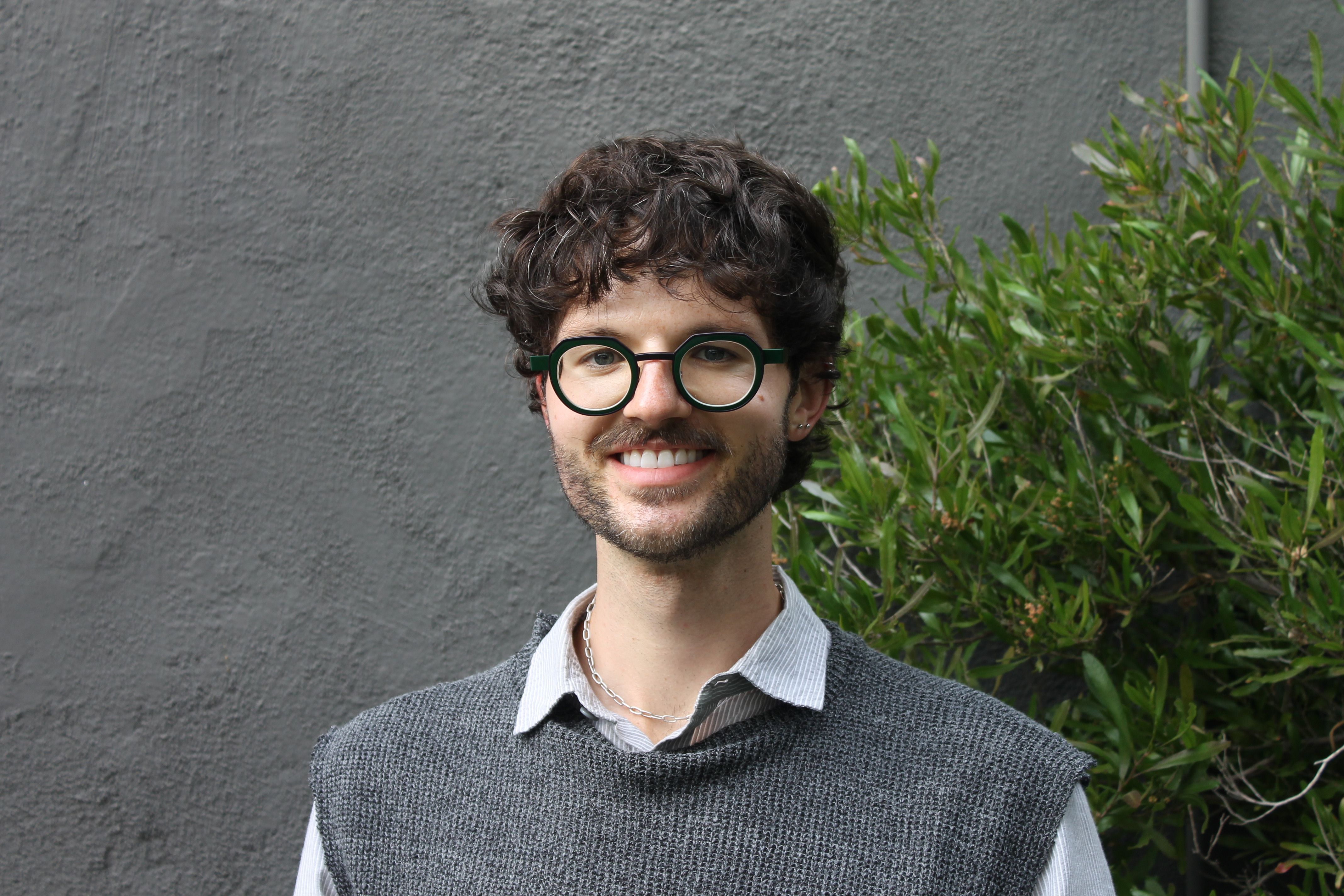
Hi, I'm Sean! I'm a 3D artist with a bachelor's degree in Games & Animation and more than 10 years of expertise in professional art software. For over 6 years I've taught autistic and neurodivergent students, from first-time beginners to adults building careers in digital arts.
I teach studio-level skills in a calm, clear and fun way, at whatever pace works for you.
See My 3D PortfolioServices & Software Expertise
I'm an expert in every subject below and teach each one from first steps to an advanced, professional level. Students will need the software installed before our first technical session, and I'll help you pick the right version (many are free or discounted).
| Subject | Skills | Software |
|---|---|---|
| 3D Art & Games | Modeling, sculpting, animation, UVs, texturing, game art, environments & level design | MayaBlender (free)ZBrushNomad SculptSubstance 3D PainterUnreal Engine (free) |
| Motion Graphics & VFX | Title animation, YouTube graphics, green screen, rotoscoping, compositing | After EffectsCinema 4D |
| Video Editing | YouTube videos, trailers, short-form content | Premiere Pro |
| Graphic Design & Illustration | Illustration, posters, logos, title design, UI/UX basics | PhotoshopIllustrator |
| Drawing & Art Skills | Perspective, observational drawing, color theory, composition | ProcreatePencil & paper |
| Career & Portfolio | Portfolios, resumes, cover letters, job applications, interview practice | ArtStationInDesignCanva |
| Life & Creative Skills | Focus and routines, communication, independence and confidence through creative projects | Built into every session |
Saving on Software
Blender and Unreal Engine are free. Adobe and Autodesk often have student, indie or sale pricing:
Pricing & Policies
SDP / Regional Center
For California Self-Determination Program participants. Billed directly to your FMS.
Private Pay
For individuals anywhere seeking flexible, out-of-pocket scheduling. Billed monthly or bi-weekly.
- Computer & Software:
Drawing and general lessons only need a computer that runs Zoom. 3D, video and VFX need a stronger computer with a dedicated graphics card. After our intro I'll send a checklist for your goals, and I'm glad to help you shop. - Sessions:
Most students meet weekly for 2 hours, with short breaks built in. Shorter or longer sessions are available. - Cancellations:
Please give at least 24 hours' notice to reschedule. FMS funding can only be billed for sessions that happen, so repeated late cancellations or no-shows may be billed directly to keep your weekly time slot.
Please note: My goal is creative growth, technical skill and confidence. I can't guarantee grades, school admissions or job outcomes, but I'll always give focused, individual mentorship toward each student's own goals.
Questions Families Ask
Who are lessons for?
Teens and adults, especially autistic and neurodivergent learners, from total beginners to people building a professional portfolio. Some students want a creative outlet, some want job-ready skills, and many want both. If you're not sure it's a fit, the free intro is the best way to find out.
What happens in the free intro?
It's a relaxed 30-minute video call, with no pressure to sign up. We talk about the student's interests, goals and how they like to learn, and I answer any questions about SDP, pricing or computers. If we decide to work together, I send a short intake form and a computer and software checklist made for their goals.
What does a session look like?
Sessions are live and 1-on-1 on Zoom, usually 2 hours a week with short breaks built in. I share my screen to demonstrate, then the student works on their own project while I guide them step by step. Every session builds toward something they can finish and keep, like a 3D model, an animation, a video or a portfolio piece. I send session times through Google Calendar, so a Google account helps.
What if my student has never used art software?
That's a great place to start. We begin with the basics, set goals together and move at a pace that works for them.
Do you work with SDP and Regional Centers?
Yes! I'm DDS cleared and already onboarded with several FMS providers. If yours is new to me, I know the process well and I'm happy to get set up. I invoice your FMS directly from your SDP budget, and I can provide written progress reports for your IPP when needed.
I'm new to SDP. What do IF, FMS and IPP mean?
SDP is California's Self-Determination Program, which lets families choose their own services through their Regional Center. Your IPP (Individual Program Plan) lists the student's goals, and every service in your budget has to support one of them. Your IF (Independent Facilitator) helps you build the spending plan and choose how each service is described. Your FMS (Financial Management Service) pays providers like me from your budget.
What do I call your service in our spending plan?
Whatever fits your plan best. Depending on the student's goals, I work as an instructor, coach and mentor, building digital art skills that support goals in the IPP like employment, independence, communication and community participation. Your IF can help choose the service category that fits, and I'm happy to write a provider letter describing the service and how it supports your student's goals.
How do I add your services to our spending plan?
Many families add me straight to their plan, and a free intro is always welcome but never required. If you have an IF, ask them to add the service to your spending plan. If you don't, your Regional Center service coordinator can help you update it, and I'm glad to walk you through it too. I can send a provider letter to support the request. Once it's approved, I get set up with your FMS and we schedule your sessions.
Can SDP pay for a computer or software?
Sometimes. A request has a better chance when it clearly supports a goal in the IPP and the equipment isn't available through another source, like the school. I can write a letter explaining what the student needs and why. If a request is denied, ask for a written Notice of Action (NOA), since that's what lets you appeal. Adults with employment goals may also be able to get help through the Department of Rehabilitation.
What computer do we need?
It depends on what the student wants to learn. Drawing and general lessons only need a computer that runs Zoom. Digital art, video and design need at least 16GB of memory and a modern processor with a dedicated graphics card. 3D and game engines need a stronger computer, ideally with 32GB of memory. A second monitor and a 3-button mouse help a lot. After our intro I'll send a checklist with specific options, and I'm glad to help you shop.
Can I pay privately, or from outside California?
Yes! Lessons are online, so I work with students anywhere, and I'm happy to find a payment option that works for your family.
Contact Me!
Let me know if you are interested, or what questions you might have. I am happy to make time to chat too!